How to Extract and Use a Download Video URL Safely in 2024
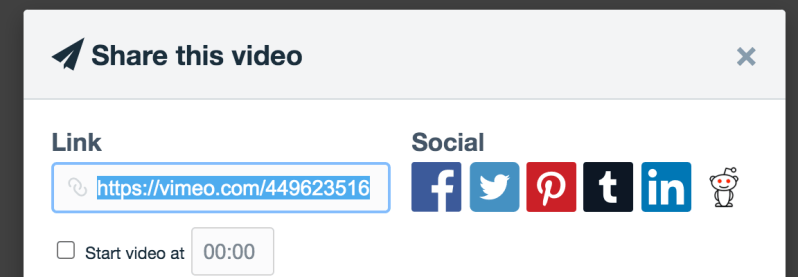
The process of extracting a video from its source URL has evolved from a niche technical workaround into a mainstream necessity. Whether you’re archiving content for offline viewing, analyzing media for research, or simply preserving personal memories, understanding how to retrieve a download video URL is essential. Unlike traditional downloads, which rely on direct file access, modern platforms often embed videos in proprietary formats that obscure the actual media link. This creates a gap between user intent and technical execution—one that requires specialized knowledge to bridge.
Platforms like YouTube, Vimeo, or even social media feeds intentionally design their interfaces to discourage direct downloads, forcing users to rely on third-party tools or manual extraction. The result? A fragmented ecosystem where methods range from simple browser extensions to advanced command-line utilities. Without the right approach, users risk encountering broken links, watermarked files, or even legal repercussions. The stakes are higher than ever, as copyright enforcement and platform policies tighten around unauthorized media distribution.
For professionals, content creators, or casual users, the ability to extract a video URL for offline use isn’t just about convenience—it’s about control. Whether you’re a journalist preserving evidence, a marketer analyzing competitor content, or a parent saving a child’s milestone video, the process demands precision. Below, we dissect the mechanics, tools, and ethical considerations behind downloading video URLs in 2024.
The Complete Overview of Extracting and Downloading Video URLs
The concept of downloading video URLs stems from the fundamental limitation of web-based media: videos are rarely hosted as direct downloadable files. Instead, they’re streamed dynamically through protocols like HLS (HTTP Live Streaming) or DASH (Dynamic Adaptive Streaming over HTTP), which break content into smaller chunks for seamless playback. To extract a usable video URL, users must intercept these streams or reverse-engineer the platform’s API calls—a process that varies by service.Modern techniques for saving videos from URLs leverage browser developer tools, third-party APIs, or dedicated software to bypass client-side restrictions. For instance, YouTube’s video pages dynamically generate URLs for different resolutions (e.g., `https://r1---sn-5yl7knel.googlevideo.com/...`), which can be accessed by inspecting network requests. Meanwhile, platforms like TikTok or Instagram use more aggressive obfuscation, requiring tools like `youtube-dl` or `yt-dlp` to decode the streams. The evolution of these methods reflects both technological innovation and the cat-and-mouse game between content providers and users seeking access.
Historical Background and Evolution
The origins of downloading video URLs trace back to the early 2000s, when platforms like LiveJournal or early YouTube clones allowed direct embedding of `.flv` files. Users could simply right-click and save these files, as no DRM or anti-download measures existed. The turning point came with YouTube’s 2006 launch, which popularized video sharing but also introduced restrictions. By 2008, tools like `flvto` emerged, scraping video pages to generate downloadable links—a practice that quickly became widespread despite legal gray areas.As platforms scaled, so did the complexity of extracting video URLs. The rise of adaptive streaming in the 2010s (e.g., Netflix’s shift to HLS) forced developers to create tools capable of parsing manifest files (`.m3u8` or `.mpd`). Projects like `youtube-dl` (2006) and its fork `yt-dlp` (2020) became open-source staples, supporting hundreds of sites by reverse-engineering their APIs. Today, the landscape is dominated by both legitimate tools and shady "download" sites that bundle malware—a risk users must navigate carefully.
Core Mechanisms: How It Works
At its core, downloading a video URL involves intercepting the media stream before it’s rendered in the player. For most platforms, this happens in one of two ways:1. Direct URL Extraction: Some sites (e.g., Vimeo) provide direct download links in their HTML or JSON responses. Tools like `curl` or browser extensions can fetch these URLs by inspecting the page source.
2. Stream Parsing: For dynamic platforms (e.g., YouTube, Facebook), the video is split into segments referenced in a manifest file. Tools like `yt-dlp` parse these files to reconstruct the full video, often supporting multiple resolutions and formats (MP4, WebM).
Table of Contents
- The Complete Overview of Extracting and Downloading Video URLs
- Historical Background and Evolution
- Core Mechanisms: How It Works
- Key Benefits and Crucial Impact
- Major Advantages
- Comparative Analysis
- Future Trends and Innovations
- Conclusion
- Comprehensive FAQs
- Q: Is it legal to download videos using a URL extractor?
- Q: Can I use yt-dlp to download videos from any website?
- Q: Why does the downloaded video have a watermark or low quality?
- Q: How do I extract a video URL without installing software?
- Q: What should I do if the download URL stops working?
- Q: Are there risks of malware when downloading videos from URLs?
- Q: Can I automate downloading multiple videos from a playlist?
- Q: What’s the difference between a direct download URL and a stream URL?
- Q: How do I ensure the downloaded video retains its original quality?
The process typically involves:
For encrypted streams (e.g., Netflix), additional decryption steps may be required, often involving proprietary keys that tools like `ffmpeg` can process.
Key Benefits and Crucial Impact
The ability to download video URLs serves practical purposes beyond mere convenience. For researchers, it enables offline analysis of trends, while educators can curate content without relying on platform availability. Content creators use these methods to archive their work or study competitors, and casual users preserve memories without risking platform takedowns. However, the practice also carries risks: legal challenges, malware, and degraded video quality if not executed properly.As the digital landscape shifts toward stricter copyright enforcement, understanding how to save videos from URLs responsibly becomes a necessity. The tools and techniques discussed here empower users to navigate these challenges while minimizing ethical and technical pitfalls.
"The internet’s architecture was never designed to prevent users from accessing content—the tools to do so are simply a reflection of how platforms prioritize control over openness." — Tech Policy Analyst, 2023
Major Advantages
- Offline Accessibility: Download videos for viewing without an internet connection, crucial for travel or low-bandwidth areas.
- Content Preservation: Archive videos before they’re deleted or taken down due to copyright claims or platform policy changes.
- Quality Control: Choose resolutions (e.g., 1080p vs. 4K) and formats (MP4, WebM) that suit your needs, avoiding platform-imposed limitations.
- Research and Analysis: Extract videos for frame-by-frame analysis, transcription, or data scraping without relying on third-party tools.
- Bypassing Restrictions: Access geo-blocked or paywalled content by extracting URLs from authorized sources (e.g., library subscriptions).

Comparative Analysis
| Method | Pros and Cons |
|---|---|
| Browser Extensions (e.g., Video DownloadHelper) |
Pros: User-friendly, no technical knowledge required. Cons: Risk of malware, limited to supported sites, may violate platform ToS. |
| Command-Line Tools (e.g., yt-dlp) |
Pros: Highly customizable, supports thousands of sites, open-source. Cons: Steeper learning curve, requires terminal access. |
| Manual URL Extraction (Dev Tools) |
Pros: No third-party tools needed, full control over the process. Cons: Time-consuming, may break if site structure changes. |
| API-Based Solutions (e.g., YouTube Data API) |
Pros: Official, scalable for developers. Cons: Rate-limited, requires API keys, restricted to approved use cases. |
Future Trends and Innovations
The future of downloading video URLs will likely be shaped by two opposing forces: platform restrictions and user demand for access. As AI-generated content and interactive streams grow, traditional extraction methods may become obsolete, requiring tools that adapt to real-time rendering (e.g., WebAssembly-based players). Meanwhile, decentralized platforms (e.g., IPFS) could offer native download capabilities, reducing the need for workarounds.Legal and ethical debates will also intensify, with courts and regulators scrutinizing "fair use" in digital archiving. Users may see a rise in "ethical scraping" tools that prioritize legal compliance, such as those integrated with library systems or educational institutions. For now, the balance between accessibility and control remains a defining challenge in digital media.

Conclusion
Mastering the art of extracting a video URL is no longer a niche skill but a practical necessity for millions. Whether you’re a professional or a casual user, the methods outlined here provide a foundation for responsible media access. However, it’s critical to weigh the benefits against legal and ethical considerations—platforms invest heavily in protecting their content, and unauthorized downloads can lead to consequences ranging from account bans to legal action.As technology advances, so too will the tools for saving videos from URLs, but the core principles remain: transparency, respect for copyright, and adaptability. By staying informed and using methods ethically, users can harness the power of video extraction without compromising integrity.
Comprehensive FAQs
Q: Is it legal to download videos using a URL extractor?
A: Legality depends on the platform’s terms of service and copyright laws. Downloading videos for personal, non-commercial use (e.g., archiving) often falls under "fair use," but redistributing or using them commercially may violate copyright. Always check the platform’s policies and local laws before proceeding.
Q: Can I use yt-dlp to download videos from any website?
A: `yt-dlp` supports thousands of sites, but some platforms (e.g., Netflix, Disney+) use advanced DRM that may block extraction. For these, you might need additional tools like `ffmpeg` or manual decryption. Always verify compatibility with the target site.
Q: Why does the downloaded video have a watermark or low quality?
A: Watermarks appear when the platform restricts non-premium content, while low quality may result from:
Q: How do I extract a video URL without installing software?
A: Use browser extensions like Video DownloadHelper or 4K Video Downloader, which inject download buttons into video players. Alternatively, inspect the page source (Ctrl+U) for direct links or use the Network tab in DevTools (F12) to find the video’s direct URL.
Q: What should I do if the download URL stops working?
A: The URL may have expired due to:
Q: Are there risks of malware when downloading videos from URLs?
A: Yes. Many "free" download sites bundle adware or malware. To mitigate risks:
Q: Can I automate downloading multiple videos from a playlist?
A: Yes. Tools like `yt-dlp` support playlist downloads with commands like:
yt-dlp --playlist-items 1-10 "PLAYLIST_URL"
This downloads the first 10 videos in the playlist. Check the tool’s documentation for advanced options like format selection or subtitles.
Q: What’s the difference between a direct download URL and a stream URL?
A: A direct download URL points to a static file (e.g., `video.mp4`) that can be saved immediately. A stream URL (e.g., HLS/DASH segments) requires reassembly into a playable file. Most modern platforms use streams, which is why tools like `ffmpeg` or `yt-dlp` are needed to merge segments.
Q: How do I ensure the downloaded video retains its original quality?
A: To maximize quality:
Leave a Comment
Comments are moderated before appearing. The data you submit is processed according to the Privacy Policy of Medicine.