Navigating Jabil’s Okta Portal: The Definitive Guide for Employees and IT Teams
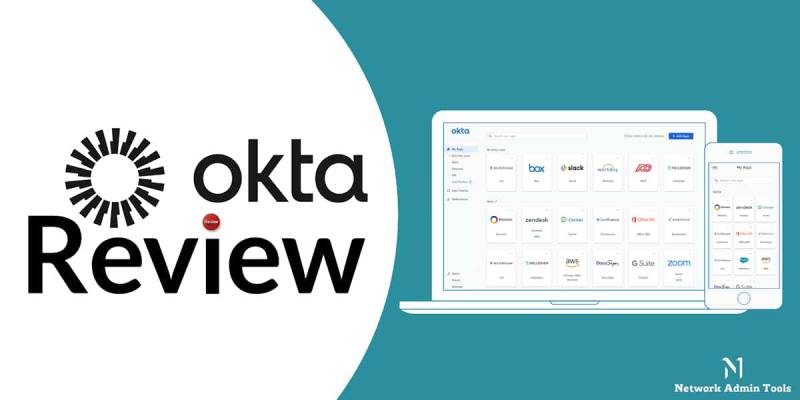
Jabil’s integration with Okta represents a cornerstone of its digital transformation strategy, streamlining authentication for over 200,000 global employees while enforcing enterprise-grade security. The portal’s seamless SSO (Single Sign-On) capabilities eliminate password fatigue, yet its custom workflows—tailored for manufacturing, supply chain, and R&D teams—often confuse users unfamiliar with Okta’s layered permissions. Behind the scenes, Jabil’s Okta deployment is a hybrid model: public cloud for global access paired with private cloud modules for IP-sensitive divisions, a balance that reflects its dual role as a Fortune 500 manufacturer and tech innovator.
The portal’s design isn’t just functional; it’s a reflection of Jabil’s operational DNA. Where traditional manufacturers rely on static VPNs or legacy directories, Jabil’s Okta ecosystem dynamically adapts to role-based access, ensuring a quality engineer in Mexico and a procurement specialist in Malaysia authenticate with identical friction—but vastly different post-login experiences. This granularity is critical for Jabil, where compliance with ISO 27001 and ITAR regulations demands audit trails that Okta’s universal directory provides. The result? A system that’s both user-friendly and a fortress against credential theft, a rare feat in industrial IT.
For IT administrators, the challenge lies in balancing Okta’s out-of-the-box flexibility with Jabil’s legacy systems. The portal’s API-first architecture allows for deep integration with SAP, Salesforce, and internal ERP tools, but misconfigured policies can trigger cascading access denials during peak production cycles. Meanwhile, end-users—especially those in Jabil’s 180+ facilities—often overlook the portal’s multi-factor authentication (MFA) nuances, leading to support tickets that could be resolved with a single policy tweak.
The Complete Overview of Jabil’s Okta Portal
Jabil’s Okta portal serves as the unified gateway for employee authentication, application access, and identity governance across its global operations. Unlike generic SSO solutions, Jabil’s implementation is architected to handle the unique demands of a manufacturing giant: real-time factory floor integrations, third-party vendor onboarding, and compliance with sector-specific regulations. The portal’s role extends beyond login; it’s the linchpin for Jabil’s zero-trust security model, where every access request—whether for an internal wiki or a cloud-based CAD tool—is evaluated against contextual risk factors like device posture, location, and behavioral biometrics.At its core, the portal operates as a federated identity provider (IdP), consolidating authentication for over 1,200 SaaS and internal applications. For Jabil employees, this means logging in once to access everything from Confluence to custom-built supply chain dashboards. For IT teams, it means centralizing user provisioning, deprovisioning, and role assignments—critical for Jabil’s high-turnover environments like contract manufacturing. The portal’s adaptive MFA system, for instance, might require a hardware token for a finance user accessing payroll data but only a push notification for a warehouse associate checking inventory levels. This dynamic approach reduces friction while maintaining security.
Historical Background and Evolution
Jabil’s journey with Okta began in 2017 as part of its broader digital initiative to modernize IT infrastructure inherited from its 1966 founding. The company’s initial foray into cloud-based identity management was driven by two pain points: the proliferation of shadow IT (employees using unauthorized tools) and the inefficiency of manual user provisioning across 20+ legacy directories. Okta was selected for its ability to consolidate these silos while supporting Jabil’s aggressive M&A strategy—acquisitions like the 2020 purchase of Jabil Healthcare required seamless integration of 5,000+ new users into the existing ecosystem.The evolution of Jabil’s Okta portal has mirrored the company’s shift toward a “digital twin” of its physical operations. Early deployments focused on basic SSO for HR and finance systems, but by 2021, the portal became the backbone of Jabil’s “Connected Worker” program, enabling remote access for technicians during the COVID-19 pandemic. Today, the system supports advanced use cases like conditional access policies tied to IoT devices on factory floors, where a worker’s badge (RFID-enabled) triggers Okta to verify their presence before granting access to production systems. This evolution underscores Okta’s role not just as an authentication tool, but as a strategic enabler of Jabil’s Industry 4.0 initiatives.
Core Mechanisms: How It Works
Under the hood, Jabil’s Okta portal operates on a three-layer architecture: authentication, authorization, and audit. The authentication layer leverages Okta’s Universal Directory, which syncs with Jabil’s Active Directory (AD) and HRIS (Workday) to maintain a single source of truth for user identities. When an employee attempts to log in, Okta evaluates their request against predefined policies—such as requiring MFA for external IP addresses or blocking access during non-business hours for certain roles. The authorization layer then maps the authenticated user to their assigned applications and data permissions, using Okta’s built-in group and role management to enforce least-privilege access.Table of Contents
- The Complete Overview of Jabil’s Okta Portal
- Historical Background and Evolution
- Core Mechanisms: How It Works
- Key Benefits and Crucial Impact
- Major Advantages
- Comparative Analysis
- Future Trends and Innovations
- Conclusion
- Comprehensive FAQs
- Q: How do I reset my Okta password if I’m locked out?
- Q: Why am I being denied access to an application after logging in?
- Q: Can I use Okta to access Jabil’s internal tools from a personal device?
- Q: How often should I update my Okta security questions or MFA methods?
- Q: What should I do if I suspect unauthorized access to my Okta account?
- Q: How can I request access to a new application in Okta?
What sets Jabil’s implementation apart is its context-aware access module, which dynamically adjusts security posture based on real-time data. For example, a design engineer in Austin accessing a 3D modeling tool from a corporate laptop might face minimal friction, but the same engineer using a personal device from a café in Berlin would trigger a hardware token prompt. This adaptability is powered by Okta’s integration with Jabil’s SIEM (Splunk) and endpoint detection tools, creating a feedback loop where suspicious behavior—like rapid-fire login attempts—automatically escalates to the security team. The audit layer, meanwhile, logs every access attempt, providing Jabil’s compliance officers with the granularity needed for ISO 27001 and SOC 2 audits.
Key Benefits and Crucial Impact
The adoption of Okta has redefined how Jabil manages identity at scale, particularly in an environment where mergers, acquisitions, and global expansions create constant flux in user populations. For IT teams, the portal has slashed provisioning times from weeks to minutes, while reducing helpdesk tickets related to password resets by 65%—a critical metric given Jabil’s 24/7 operations. Beyond efficiency, the portal’s security posture has become a competitive differentiator, allowing Jabil to win contracts with defense and aerospace clients who demand rigorous access controls. The ripple effects extend to employee productivity: studies show that SSO reduces context-switching by 40%, a tangible benefit in roles like supply chain management where multitasking across systems is the norm.The portal’s impact isn’t limited to internal operations. Jabil’s Okta deployment has also transformed its vendor ecosystem, enabling secure, self-service onboarding for third-party manufacturers and logistics partners. By extending Okta’s identity fabric to external collaborators, Jabil ensures that contractors—who may lack corporate IT infrastructure—can access Jabil-specific tools without compromising security. This model has been particularly valuable in Jabil’s healthcare division, where HIPAA compliance requires ironclad access controls for patient data shared with external partners.
“Okta isn’t just a login screen for us—it’s the digital nervous system that connects every part of Jabil’s global operations. The ability to tie access policies to real-time operational data, like machine status on a factory floor, has been a game-changer for our Industry 4.0 strategy.”
— Mark Reynolds, Global IT Security Director, Jabil
Major Advantages
- Unified Access: Consolidates 1,200+ applications under a single login, eliminating the need for password managers and reducing helpdesk calls by 65%.
- Context-Aware Security: Dynamically adjusts authentication requirements based on user role, device, location, and behavioral patterns, reducing false positives in threat detection.
- Automated Provisioning: Syncs with Workday and Active Directory to auto-provision or deprovision users within minutes, critical for Jabil’s high-turnover contract manufacturing roles.
- Compliance Readiness: Provides real-time audit logs for ISO 27001, ITAR, and HIPAA compliance, with customizable reports for regulatory reviews.
- Scalable for M&A: Supports seamless integration of acquired companies’ user bases, reducing IT overhead during mergers by up to 40%.

Comparative Analysis
| Feature | Jabil’s Okta Portal | Traditional VPN + Legacy Dir |
|---|---|---|
| Authentication Method | SSO with adaptive MFA (push, token, biometrics) | Static passwords + VPN tunnels |
| User Provisioning Time | Automated (minutes) | Manual (days/weeks) |
| Security Posture | Zero-trust model with contextual access | Perimeter-based (castle-and-moat) |
| Integration Capability | API-first, supports 3rd-party apps and IoT | Limited to on-premise systems |
Future Trends and Innovations
Jabil’s Okta portal is poised to evolve in lockstep with advancements in identity-as-a-service (IDaaS) and AI-driven security. One imminent trend is the integration of passwordless authentication, leveraging Okta’s support for FIDO2 standards to replace tokens with biometric or hardware-based logins. For Jabil, this could mean eliminating physical security badges in favor of device-bound credentials, reducing the risk of lost or stolen access cards—a persistent issue in high-traffic manufacturing plants. Additionally, Okta’s Identity Governance & Administration (IGA) module will likely see deeper customization, allowing Jabil to automate role assignments based on predictive analytics (e.g., proactively granting temporary elevated permissions to engineers during product launches).Beyond technical upgrades, Jabil is exploring Okta’s Workforce Identity Cloud to unify employee, contractor, and customer identities under a single framework. This would enable scenarios like a Jabil technician accessing a client’s IoT dashboard with the same frictionless experience as an internal tool, while maintaining strict audit trails. The long-term vision aligns with Jabil’s “Connected Enterprise” strategy, where identity becomes the backbone of a fully digitized supply chain—from raw material sourcing to end-product delivery.

Conclusion
Jabil’s Okta portal is more than a login system; it’s a strategic asset that bridges the gap between legacy industrial operations and modern digital workflows. By prioritizing adaptability, the portal has enabled Jabil to scale securely across continents, merge acquired companies without IT chaos, and future-proof its security posture against evolving threats. For employees, the benefits are immediate: fewer passwords, faster access, and a system that actually understands their roles. For IT teams, the portal offers unparalleled visibility and control, turning identity management from a cost center into a competitive advantage.As Jabil continues to push the boundaries of smart manufacturing, its Okta deployment will remain a case study in how identity infrastructure can drive operational excellence. The key to sustaining this advantage lies in continuous optimization—balancing user experience with security, and ensuring that every login isn’t just a handshake between a person and a system, but a step toward a fully connected, data-driven enterprise.
Comprehensive FAQs
Q: How do I reset my Okta password if I’m locked out?
If you’re locked out of the Jabil Okta portal, use the “Forgot Password” link on the login page. For employees with MFA enabled, Okta will send a reset link to your registered email or trigger a push notification to your authenticator app. If you’ve lost access to all recovery methods, contact your local IT support team or Jabil’s Global Helpdesk at it-support@jabil.com. Admins can bypass locks for verified users within 24 hours.
Q: Why am I being denied access to an application after logging in?
Access denials typically occur due to one of three reasons: (1) Insufficient permissions—your Okta group assignment may not include the app; (2) Conditional access policies—your device, location, or time of access may violate security rules (e.g., logging in from an unapproved country); or (3) Account status—your profile might be pending review or deactivated. Check the denial message for specifics, then consult your manager or IT team to adjust your permissions. For time-sensitive access (e.g., during a project), request a temporary role elevation via your Okta admin.
Q: Can I use Okta to access Jabil’s internal tools from a personal device?
Yes, but with restrictions. Jabil’s Okta portal supports personal device access (PDA) for approved applications, provided you meet security requirements:
- Device must be enrolled in Okta’s Device Trust program (requires installation of Okta Verify or a compatible MDM tool).
- Only non-sensitive apps (e.g., Confluence, SharePoint) are typically allowed; sensitive tools (e.g., ERP, CAD) require corporate devices.
- You’ll need to enable MFA (push notification or token) for all logins from personal devices.
Q: How often should I update my Okta security questions or MFA methods?
Jabil recommends updating your security questions and MFA recovery methods every 6 months, or immediately if you suspect compromise (e.g., phishing attempts). To update:
- Log in to the Okta portal.
- Navigate to Security > Settings (or Profile > Security).
- Select Update Recovery Methods and follow the prompts to add new email addresses, phone numbers, or authenticator apps.
- For security questions, choose options that aren’t publicly available (avoid pet names or simple answers).
Q: What should I do if I suspect unauthorized access to my Okta account?
If you detect suspicious activity (e.g., login attempts from unfamiliar locations, unauthorized app access), take these steps immediately:
- Lock your account: Use Okta’s End Session feature to log out all active sessions.
- Change passwords: Update your Okta password and any linked accounts (e.g., Workday, SAP) via the Security tab.
- Report the incident: Contact Jabil’s Security Operations Center (SOC) at +1-800-JABIL-IT or via the Report a Security Issue link in Okta.
- Review activity logs: Okta admins can provide a detailed audit trail of login attempts; request this if you’re unable to identify the breach.
Q: How can I request access to a new application in Okta?
To gain access to a new application in Jabil’s Okta portal:
- Check your group assignments: Some apps are auto-provisioned based on your role (e.g., finance tools for Accounting teams). Verify your Okta group memberships via Profile > Groups.
- Submit a request: If the app isn’t listed, click the Help icon in Okta and select Request Access. Fill out the form with the app name and your justification (e.g., “Needing access to [App] for [Project]”).
- Escalate if needed: For high-security apps (e.g., ERP modules), your manager or department head may need to approve the request. IT will process the request within 1–3 business days.
- Verify access: After approval, test the app’s functionality and report any issues to IT.
Leave a Comment
Comments are moderated before appearing. The data you submit is processed according to the Privacy Policy of Medicine.