How to Send a Formal Message on WhatsApp Without Losing Professionalism

WhatsApp has quietly become the default channel for professional communication—even in industries where email once reigned supreme. The shift isn’t just about convenience; it’s about adapting to how modern audiences engage. Yet, the platform’s informal roots create a paradox: how do you send formal messages on WhatsApp without sacrificing clarity or tone?
The answer lies in structure. Unlike a text message or a tweet, a WhatsApp message designed for formal contexts demands precision. A poorly crafted message can undermine credibility, while a well-constructed one builds trust. The key isn’t to mimic email verbosity but to distill professionalism into concise, actionable exchanges.
This guide cuts through the ambiguity. Whether you’re negotiating with clients, coordinating with colleagues, or representing your brand, the principles here ensure your messages land with the right impact—every time.
The Complete Overview of Sending Formal Messages on WhatsApp
The rise of sending formal messages via WhatsApp reflects a broader cultural shift toward real-time, direct communication. Businesses now expect responses within hours, not days, and WhatsApp’s end-to-end encryption adds a layer of security that email lacks. However, the platform’s conversational tone can clash with formal expectations if not managed carefully.
To bridge this gap, professionals must adopt a hybrid approach: leveraging WhatsApp’s speed and accessibility while embedding the discipline of traditional correspondence. This means structuring messages with clarity, using professional language, and—perhaps most critically—knowing when to escalate to email or a call. The goal isn’t to force WhatsApp into a rigid format but to adapt its strengths for high-stakes interactions.
Historical Background and Evolution
The journey of sending professional messages on WhatsApp began with the app’s 2009 launch as a simple messaging tool. By 2014, its user base had exploded, and businesses began experimenting with customer support via WhatsApp. Early adopters treated it as a supplementary channel, but as smartphone penetration grew, it became indispensable—especially in markets where SMS costs were prohibitive.
Table of Contents
- The Complete Overview of Sending Formal Messages on WhatsApp
- Historical Background and Evolution
- Core Mechanisms: How It Works
- Key Benefits and Crucial Impact
- Major Advantages
- Comparative Analysis
- Future Trends and Innovations
- Conclusion
- Comprehensive FAQs
- Q: Can I use emojis in formal WhatsApp messages?
- Q: How do I address someone formally in a WhatsApp message?
- Q: Should I include a subject line in a WhatsApp message?
- Q: What’s the best time to send a formal WhatsApp message?
- Q: How do I handle follow-ups on WhatsApp?
Today, WhatsApp Business API and verified accounts have formalized its role in corporate communication. Companies now use it for everything from appointment reminders to contract negotiations. The evolution highlights a fundamental truth: digital communication tools adapt to user needs, and professionals must reciprocate by refining their usage. The challenge isn’t whether to use WhatsApp for formal exchanges but how to do so effectively.
Core Mechanisms: How It Works
At its core, sending a formal WhatsApp message relies on three pillars: structure, tone, and context. Structure ensures the recipient can process information quickly—critical in a medium where attention spans are short. Tone balances warmth with professionalism, avoiding the pitfalls of either sounding robotic or overly casual. Context dictates whether a message belongs on WhatsApp at all (e.g., sensitive legal discussions may still require email).
Practical execution involves drafting messages with bullet points for readability, using full sentences (not text-speak), and including clear calls to action. Tools like WhatsApp’s "Business Profile" feature—where you can list your company’s contact details, operating hours, and even a catalog—further legitimize formal interactions. The mechanics are simple, but the art lies in execution.
Key Benefits and Crucial Impact
Adopting WhatsApp for professional communication isn’t just a trend; it’s a strategic advantage. The platform’s open rates (nearly 100%) dwarf those of email, and its direct nature fosters quicker resolutions. For businesses, this translates to improved customer satisfaction and operational efficiency. Yet, the benefits extend beyond logistics—they include building rapport in a way that email cannot.
When used correctly, WhatsApp humanizes interactions. A well-timed, thoughtful message can strengthen client relationships, clarify expectations, and even resolve conflicts before they escalate. The impact isn’t just transactional; it’s relational. This duality is why mastering how to send formal messages on WhatsApp has become a non-negotiable skill for modern professionals.
"The most effective communication is that which aligns with the medium’s strengths while compensating for its weaknesses. WhatsApp excels at immediacy and accessibility—professionals must ensure their messages reflect that balance."
—Dr. Elena Vasquez, Digital Communication Strategist
Major Advantages
- Speed and Accessibility: Messages are delivered instantly, and recipients can respond at their convenience, reducing delays common in email chains.
- Higher Engagement: Open rates for WhatsApp messages approach 98%, compared to email’s 20–30%, ensuring critical information is seen.
- Multimedia Integration: Share contracts, invoices, or presentations directly, eliminating the back-and-forth of email attachments.
- Personalization: Use features like quick replies and greeting messages to tailor interactions, making clients feel valued.
- Security and Compliance: End-to-end encryption meets data protection regulations, making it suitable for sensitive discussions.
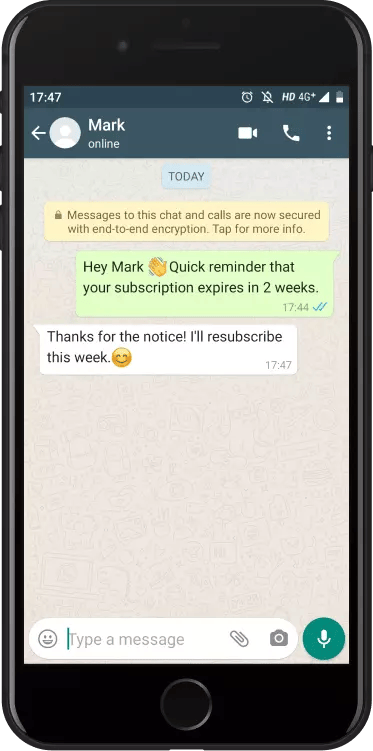
Comparative Analysis
| Feature | WhatsApp (Formal Use) | |
|---|---|---|
| Response Time | Near-instant (hours, not days) | 1–5 days (varies by recipient) |
| Formality Flexibility | Balances brevity with professionalism | Requires verbose structure |
| Attachment Handling | Direct sharing (PDFs, images, docs) | Attachments may trigger spam filters |
| Best For | Quick updates, confirmations, client follow-ups | Legal documents, detailed proposals, internal reports |
Future Trends and Innovations
The next frontier for sending professional WhatsApp messages lies in AI integration. Tools like automated responses for FAQs or smart suggestions for formal phrasing will further streamline communication. Additionally, WhatsApp’s expansion into banking and e-commerce (via WhatsApp Pay and Business API) will blur the lines between personal and professional use, demanding even sharper boundaries.
Looking ahead, expect stricter guidelines on digital etiquette—particularly in industries like healthcare and law—where WhatsApp’s informal tone could pose risks. Professionals who anticipate these shifts will not only adapt but lead the conversation on how to use the platform responsibly.
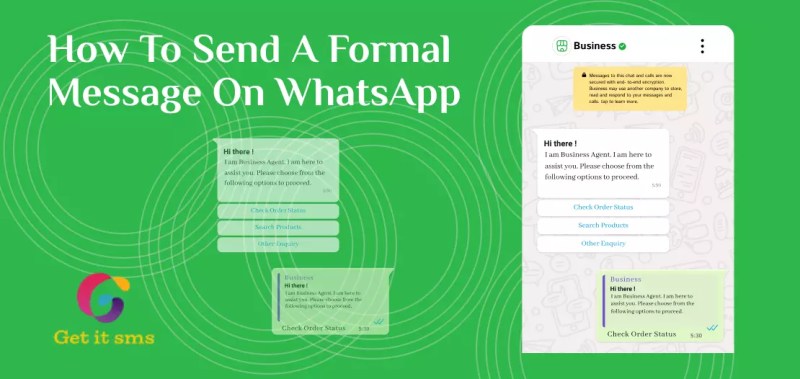
Conclusion
WhatsApp is no longer a secondary tool for businesses; it’s a primary channel that requires intentional use. The ability to send formal messages on WhatsApp effectively hinges on understanding its strengths while mitigating its limitations. By adopting structured, professional templates and knowing when to transition to other platforms, you can harness WhatsApp’s power without compromising credibility.
The key takeaway? Treat WhatsApp as a tool for efficiency, not a replacement for judgment. A well-crafted message here can open doors; a poorly executed one can close them. The future belongs to those who master the art of blending professionalism with the platform’s inherent speed.
Comprehensive FAQs
Q: Can I use emojis in formal WhatsApp messages?
A: Yes, but sparingly. A single, context-appropriate emoji (e.g., 📅 for scheduling) can add warmth without detracting from professionalism. Avoid chains of emojis or overly casual ones like 😂 or 👍.
Q: How do I address someone formally in a WhatsApp message?
A: Use their full name or professional title (e.g., "Dear Ms. Johnson" or "Hello [First Name]"). For recurring interactions, a simple "Hi [Name]" suffices, but avoid nicknames unless invited.
Q: Should I include a subject line in a WhatsApp message?
A: WhatsApp doesn’t support subject lines, but you can compensate by starting with a clear topic (e.g., "Regarding: Contract Review – Deadline Extension"). This mimics email structure while staying true to the platform.
Q: What’s the best time to send a formal WhatsApp message?
A: Aim for business hours (9 AM–5 PM local time) unless you’ve confirmed after-hours availability. Avoid weekends unless the recipient has signaled openness to urgent matters.
Q: How do I handle follow-ups on WhatsApp?
A: If no response after 24 hours, send a polite follow-up: "Following up on my message from [date] regarding [topic]. Let me know if you’d prefer to discuss this via call." This maintains professionalism while prompting action.
Leave a Comment
Comments are moderated before appearing. The data you submit is processed according to the Privacy Policy of Medicine.